 ____             ____  _          _ _
|  _ \  __ _  __ / ___|| |__   ___| | |
| | | |/ _` |/ _\___ \| '_ \ / _ \ | |
| |_| | (_| | (_| |__) | | | |  __/ | |
|____/ \__,_|\__, |___/|_| |_|\___|_|_|
             |___/
[ Orbic RCL400 Custom Firmware ]
🔓 Unlock Your Hotspot
A terminal-styled custom firmware for the Orbic RCL400 with hacking tools, privacy features, and full AT command access.
📡 What is DagShell?
DagShell is a custom web-based control panel that runs on your rooted Orbic RCL400 LTE hotspot. It provides tools and features not available in the stock firmware.
Dashboard
Real-time signal, clients, data usage, and cell tower stats at a glance.
Network Tools
View interfaces, connected clients, active connections, and set custom TTL values.
Privacy
MAC address spoofing and DNS-level ad blocking to protect your identity.
SMS
Send text messages directly through the hotspot's modem via AT commands.
IMSI Detector
Enhanced cell info display with automatic anomaly detection for fake towers.
Firewall
Block/unblock IPs and manage iptables rules through a simple interface.
GPS Tracker
Auto-GPS on every page with cell tower lookup via OpenCellID.
Wardriver
Scan WiFi networks with GPS. Auto-waits for GPS and uploads to Wigle via browser.
File Explorer
Multi-select files, batch delete/download, with file size display.
Web Terminal
Execute shell commands directly through the web interface.
Data Usage
Track cellular data per session with historical logging.
Client Tracker
Monitor connected devices with MAC, IP, and connection logging.
🖥️ Preview
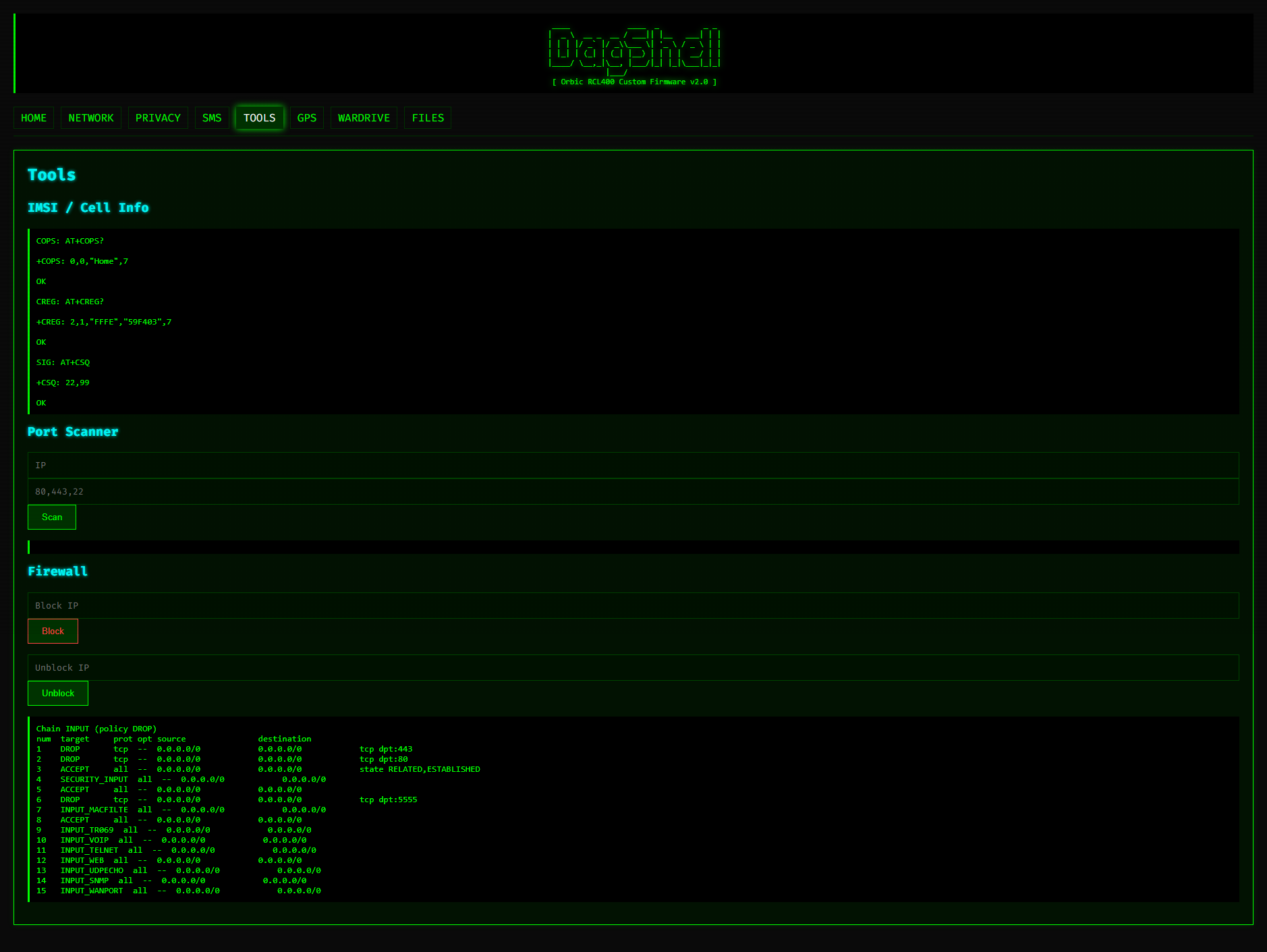
The firmware features a terminal/hacker aesthetic with ASCII art, scanline effects, and glowing text.
⚡ Quick Start
Get Root Access
Your Orbic RCL400 must have root access via an exploit. This unlocks the diagnostic port (24).
Build the Firmware
cd orbic_fw_c
.\build.ps1
Deploy to Device
python deploy_base64.pyAccess DagShell
Open your browser to: https://192.168.1.1:8443/